
Quick answer: To encrypt emails, the three main options are: use an end-to-end encrypted email provider (Proton Mail, Tuta), configure S/MIME certificates in Outlook or Apple Mail, or use PGP encryption with a compatible plugin. The easiest approach for most users is an E2EE email provider, though automatic encryption only applies to messages between users of compatible services.
"I Want My Emails to Be Private" — What Email Encryption Actually Does and What It Doesn't
A question that comes up regularly when users become more aware of email privacy: "How do I encrypt my emails?" The question is reasonable, but the answer is more nuanced than it might appear — because "encrypted email" can mean several different things, and the type of encryption that is already in place (TLS in transit) is different from the type that most people mean when they ask the question (end-to-end encryption that prevents the provider from reading the content). Understanding the distinction is the starting point for making an informed decision about whether and how to encrypt email. This guide covers the main methods for encrypting emails — end-to-end encrypted email providers, S/MIME, and PGP — including what each method protects against, what it requires from both sender and recipient, and when each approach is appropriate. Encryption technology and provider features change over time; the details here reflect current options as of mid-2026, and verifying current capabilities with the relevant provider or tool before implementing is recommended.
What Email Encryption Actually Protects — and What It Doesn't
All major email providers encrypt email in transit using TLS (Transport Layer Security). TLS protects the message while it is traveling between mail servers — it prevents interception on the network. However, TLS does not protect the message content from the email provider itself: when the message arrives at the destination server, it is decrypted and stored in a form that the provider can access. The provider holds the encryption keys for stored messages, which means the provider can read message content, and can be compelled to disclose it in response to a valid legal order. End-to-end encryption (E2EE) is different in a fundamental way: the message is encrypted on the sender's device before it leaves, and can only be decrypted by the recipient's device. The email provider stores only encrypted data that it cannot read — even if compelled by a legal order, the provider can only provide the encrypted ciphertext, not the plaintext content. This is what "zero-knowledge encryption" means: the provider has no knowledge of the message content. It is important to understand what E2EE does not protect: metadata (who sent a message to whom, when, and from what IP address) is typically not end-to-end encrypted and may be accessible to the provider and subject to legal compulsion. E2EE also does not protect against a compromised endpoint — if the recipient's device is compromised, the attacker can read the decrypted messages. And E2EE only applies to the message content — subject lines may or may not be encrypted depending on the implementation.
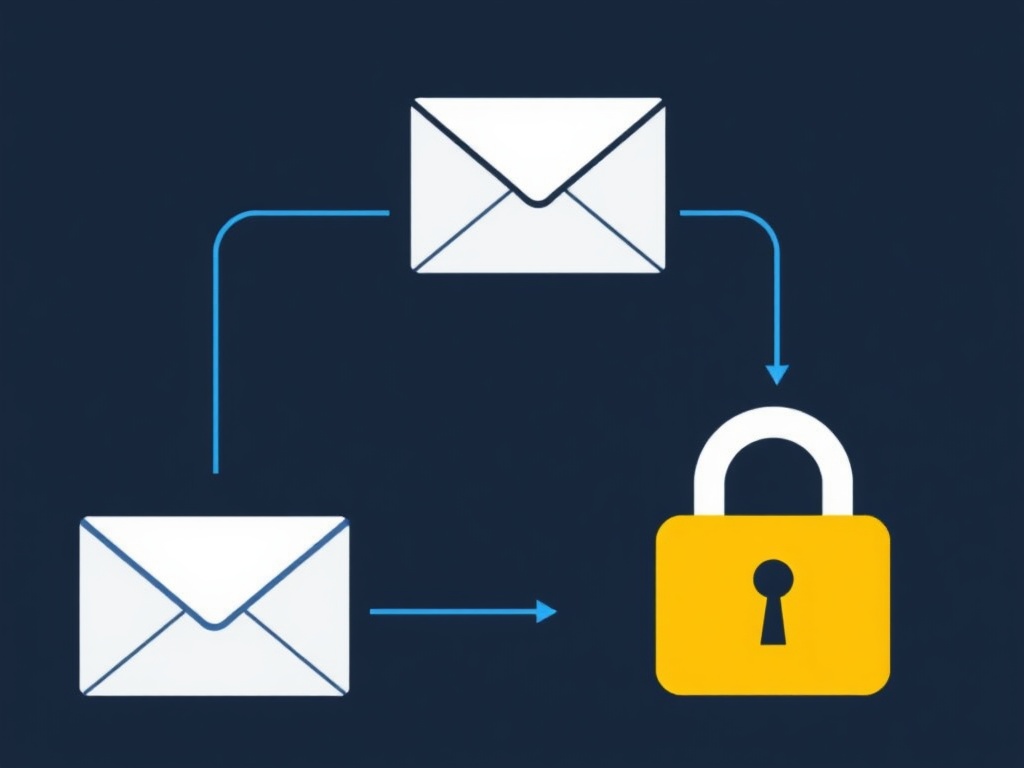
How to Encrypt Your Emails — 5 Methods Compared
MethodEase of UseRequires Recipient SetupBest ForE2EE Email Provider (Proton Mail, Tuta)Easy (automatic)Yes (same provider for auto E2EE)Privacy-first users; ongoing encrypted communicationS/MIMEModerateYes (both need certificates)Corporate/legal use; Outlook and Apple Mail usersPGP (OpenPGP)ComplexYes (both need PGP keys)Technical users; journalist-source communicationPassword-protected email (Proton Mail)EasyNo (recipient uses a browser link)One-off encrypted messages to non-E2EE recipientsEncrypted file attachmentModeratePartial (need to share password)Sending sensitive documents via standard email
1. End-to-End Encrypted Email Providers
The easiest way to send end-to-end encrypted email is to use an email provider that implements E2EE by default. Proton Mail and Tuta (formerly Tutanota) are the most widely used E2EE email providers. Both encrypt messages automatically when both sender and recipient use the same service — a message from a Proton Mail account to another Proton Mail account is end-to-end encrypted without any additional configuration. Both services also offer ways to send encrypted messages to recipients who do not use the same service: Proton Mail uses a password-protected link that the recipient opens in a browser; Tuta uses a similar approach. The trade-offs of E2EE email providers are real and worth understanding before switching. Because message content is encrypted on the server, server-side full-text search is not available — search is performed locally on the device, which is slower for large mailboxes. Third-party email client support is limited (Proton Mail requires the Proton Mail Bridge application, available on paid plans, for use with standard email clients). AI-assisted features that depend on server-side content access (Smart Reply, Smart Compose) are not available. And E2EE only applies automatically to messages between users of the same service — messages to Gmail or Outlook recipients travel as standard TLS- encrypted email unless the password-protected link method is used.
2. S/MIME (Secure/Multipurpose Internet Mail Extensions)
S/MIME is an email encryption standard supported natively by Outlook, Apple Mail, and some other email clients. It uses digital certificates — issued by a certificate authority — to encrypt messages and verify sender identity. When both sender and recipient have S/MIME certificates configured in their email clients, messages between them are end-to-end encrypted. S/MIME is commonly used in corporate and legal environments where both parties use Outlook or Apple Mail and have access to certificate infrastructure. Setting up S/MIME requires obtaining a personal email certificate from a certificate authority (some CAs offer free personal certificates; others charge a fee — checking current availability and pricing before committing is recommended), installing the certificate in the email client, and exchanging signed messages with the recipient so that each party has the other's public key. The process is more involved than switching to an E2EE provider, and it only works when both parties have compatible S/MIME certificates. For organizations that already use Outlook and have certificate infrastructure, S/MIME is a practical option; for individuals, the setup complexity is generally higher than the alternatives.
3. PGP (Pretty Good Privacy / OpenPGP)
PGP is an encryption standard that predates S/MIME and is widely used in technical and security communities. It uses a public/private key pair: the sender encrypts a message using the recipient's public key, and only the recipient's private key can decrypt it. PGP is supported natively in Thunderbird (which has built-in OpenPGP support) and through browser extensions such as Mailvelope for Gmail and Outlook on the web. Proton Mail also supports PGP for encrypted communication with external recipients who have PGP keys. The main practical challenge with PGP is key management. Both sender and recipient must have PGP set up, must have generated key pairs, and must have exchanged public keys before encrypted communication can begin. Public keys can be shared via key servers (keys.openpgp.org), email, or direct exchange. The setup process is more complex than other methods and requires both parties to maintain their key pairs — if a private key is lost, encrypted messages cannot be decrypted. PGP is the preferred method in contexts where technical users need to communicate securely with other technical users, and in journalist- source communication where the source may not be able to use a specific email provider.
4. Password-Protected Email for One-Off Encrypted Messages
For sending a single sensitive message to a recipient who does not use an E2EE email provider, Proton Mail's password-protected email feature provides a practical option. The sender sets a password for the message; the recipient receives a link to view the message in a browser after entering the password. The message content is end-to-end encrypted — Proton Mail cannot read it — and the recipient does not need a Proton Mail account. The password must be shared with the recipient through a separate channel (a phone call, a text message, or an in-person conversation) — not in the same email. This approach is more cumbersome than standard email but provides genuine E2EE for sensitive one-off messages without requiring the recipient to set up any encryption software. It is suitable for sending sensitive documents, legal information, or financial details to a recipient who uses a standard email provider. The link expires after a configurable period, and the message is deleted from Proton Mail's servers after the expiry — providing an additional layer of privacy.
5. Encrypting Sensitive File Attachments
⚠️ A practical workaround when full email encryption is not feasible: When sending sensitive documents via standard email (Gmail, Outlook), encrypting the file before attaching it provides protection for the document content even if the email itself is not end-to-end encrypted. Common methods include: creating a password-protected ZIP archive (using 7-Zip with AES-256 encryption), using a PDF with password protection (note that PDF password protection strength varies by implementation — AES-256 is the current standard), or using a dedicated file encryption tool. The encryption password must be shared with the recipient through a separate channel — not in the same email. This approach protects the document content but not the email metadata or the message body, and is a partial solution rather than a replacement for full email encryption.
Step-by-Step: How to Start Encrypting Your Emails
Step 1: Assess Your Threat Model and Encryption Needs
Before choosing an encryption method, clarify what you are protecting against. If the concern is interception in transit, TLS (already in place on all major providers) provides that protection. If the concern is the email provider accessing message content, an E2EE provider or S/MIME/PGP is needed. If the concern is government data requests, an E2EE provider in a favorable jurisdiction (Switzerland for Proton Mail, Germany for Tuta) provides stronger protection than a US-based provider. If the concern is a specific sensitive document rather than ongoing communication, encrypting the file attachment may be sufficient. Matching the encryption method to the actual threat avoids unnecessary complexity.
Step 2: Choose the Right Method for Your Situation
For most individuals who want ongoing E2EE email: create a Proton Mail or Tuta account and use it for sensitive communications. For corporate or legal users who use Outlook or Apple Mail: investigate S/MIME certificate options with the IT department or a certificate authority. For technical users who need to communicate with other technical users: set up PGP in Thunderbird or via Mailvelope. For one-off sensitive messages to non-E2EE recipients: use Proton Mail's password-protected email feature. For sensitive file attachments via standard email: use 7-Zip with AES-256 encryption and share the password through a separate channel.
Step 3: Set Up the Chosen Method
For Proton Mail: create an account at proton.me, verify the email address, and begin using the account for sensitive communications. Messages to other Proton Mail users are automatically E2EE. For Tuta: create an account at tuta.com. For PGP in Thunderbird: open Thunderbird, go to Account Settings > End-to-End Encryption > Add Key to generate a key pair, and share the public key with recipients. For S/MIME: obtain a personal email certificate from a certificate authority, install it in Outlook or Apple Mail following the provider's documentation, and exchange signed messages with the recipient to share public keys.
Step 4: Verify That Encryption Is Working
After setting up encryption, verify that it is working correctly before relying on it for sensitive communications. For Proton Mail: send a test message to another Proton Mail account and confirm the lock icon appears indicating E2EE. For PGP: send a test encrypted message to a trusted contact and confirm they can decrypt it. For S/MIME: send a signed and encrypted test message to a recipient with a compatible certificate and confirm they can open it. For password-protected email: send a test message to a personal email address and confirm the link works and the password is required to view the content.
Step 5: Establish Key Management and Backup Practices
For PGP and S/MIME, key management is critical: back up the private key securely (encrypted, stored offline or in a secure password manager), and understand what happens if the private key is lost (encrypted messages cannot be decrypted). For Proton Mail and Tuta, the provider manages key generation and storage — but the account password is the key to the encryption, so a strong unique password and backup codes for 2FA are essential. Document the encryption setup so that it can be recovered or transferred if the primary device is lost or replaced.
Frequently Asked Questions — How to Encrypt Emails
How do I encrypt my emails?
The three main options are: use an E2EE email provider (Proton Mail, Tuta), configure S/MIME certificates in Outlook or Apple Mail, or use PGP encryption with a compatible plugin. The easiest approach for most users is an E2EE provider, though automatic encryption only applies to messages between users of compatible services.
What is the difference between TLS and end-to-end encryption?
TLS encrypts email in transit between servers — the provider can access stored message content. End-to-end encryption encrypts the message on the sender's device so that only the recipient can decrypt it — the provider stores only encrypted data it cannot read. TLS is the baseline for all major providers; E2EE requires additional configuration or a specialized provider.
Does Gmail encrypt emails?
Gmail encrypts email in transit (TLS) and at rest, but is not end-to-end encrypted by default — Google holds the encryption keys. Gmail supports S/MIME on Google Workspace Enterprise plans. For standard Gmail accounts, E2EE requires a third-party PGP tool or switching to an E2EE provider.
What is PGP email encryption?
PGP uses a public/private key pair — the sender encrypts with the recipient's public key; only the recipient's private key can decrypt. It works with Thunderbird (built-in OpenPGP) and browser extensions (Mailvelope). The main challenge is key management — both parties must have PGP set up and must have exchanged public keys before encrypted communication can begin.
When do I actually need to encrypt my emails?
Email encryption is most important when the content is sensitive and the threat model includes the provider, government data requests, or interception. Common use cases include legal communications, medical information, financial details, and journalist-source communications. For most everyday email, TLS in transit is generally sufficient.
Conclusion & My Take
Encrypting emails is more accessible than it was a decade ago, but it still requires a deliberate choice of method and some setup effort — and it requires the recipient to be able to receive encrypted messages, which is the most significant practical constraint. For users who want ongoing E2EE email, switching to Proton Mail or Tuta is the most practical path: the encryption is automatic for messages between users of the same service, and the password-protected link method provides a workable option for messages to external recipients. The most important thing to understand about email encryption is what it does and does not protect. E2EE protects message content from the provider and from interception — but it does not protect metadata, does not protect against a compromised endpoint, and does not protect messages sent to recipients who are not using E2EE. Matching the encryption method to the actual threat model — rather than implementing encryption for its own sake — leads to better security outcomes with less unnecessary complexity. Have you implemented email encryption for personal or professional use, and found a particular method that worked well for your situation? The practical challenges of key exchange and recipient compatibility are the most common friction points — feel free to share your experience in the comments below.
Sources
Proton — Proton Mail Encryption Explained — proton.me
IETF RFC 4880 — OpenPGP Message Format — datatracker.ietf.org
IETF RFC 8551 — Secure/Multipurpose Internet Mail Extensions (S/MIME) — datatracker.ietf.org
Electronic Frontier Foundation — Email Self-Defense Guide — eff.org
CISA — Understanding Encryption — cisa.gov